Weigh-ins
Weights in. Lineups out.
One desk for the whole field, checking every weight against the class it was declared at. Then a grid that turns two rosters into a bout card, in the order they will be wrestled.
Weights are never published. They stay behind a signed-in, role-checked server.
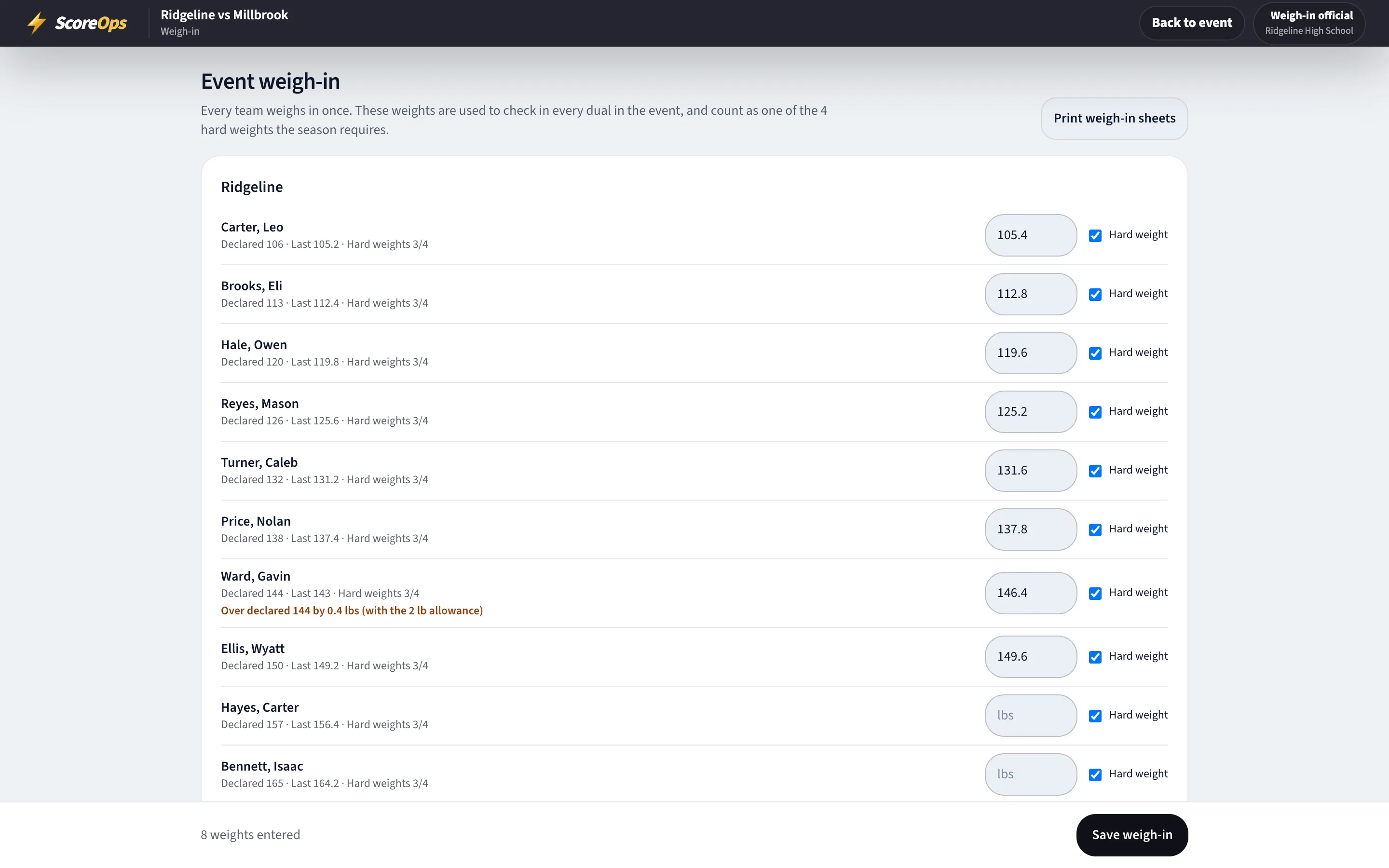
The desk
A sheet that argues back.
Whoever is at the scale types the number. The desk does the checking, out loud, before anyone steps on the mat.
- Weights to a tenth of a pound, with each wrestler's declared class beside the box.
- Over the class is shown as over by how much, with your season's allowance already counted in.
- Nothing typed yet? The desk falls back to the last weight on file and says so.
- A weight two pounds or more from that wrestler's last one has to be confirmed before it will save — the server refuses it otherwise, not just the screen.
- A hard-weight tick on each row, on by default, for leagues that count certified weigh-ins.
Occasions
One weigh-in per occasion.
What counts as a weigh-in is the event, not the save. A league that requires two hard weights before January means two occasions.
A dual
One weigh-in for the dual, at the host school's desk.
A tri-quad
One weigh-in for the night, counted once no matter how many duals come out of it.
A tournament
One weigh-in for the whole day, whatever a wrestler's bracket does after it.
Re-saving the sheet does not add another. Neither does a check-in at the table, a manual edit or an import — only a real trip to the scale counts.
Lineups
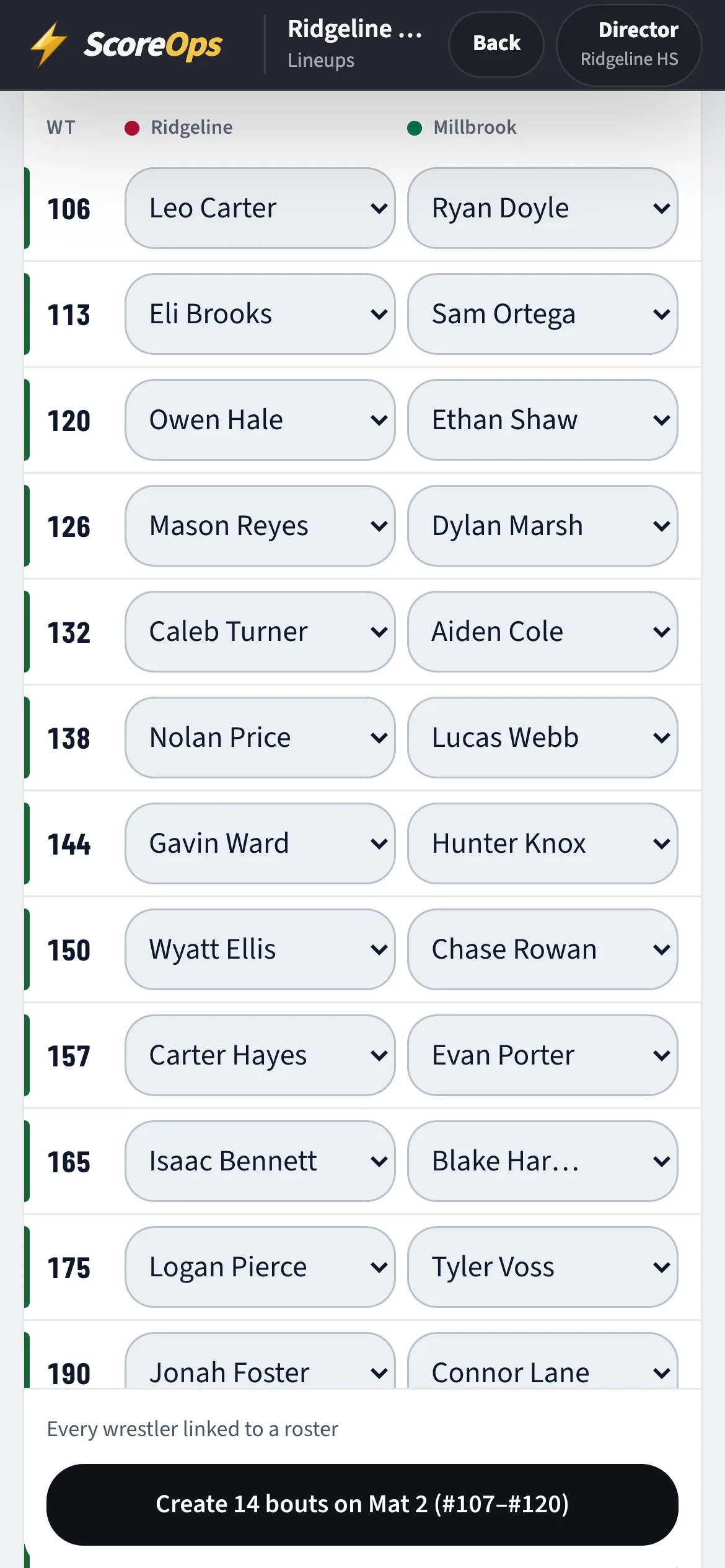
Two rosters in. A bout card out.
One weight per row, both teams side by side. Fill it in the order the coaches agreed and turn the rows into bouts.
- Start from the high school classes, the youth classes, or just the weights the two rosters declared.
- Pair the whole card by declared weight in one move, then fix the rows you want to fix.
- Swap which team is on which side without losing anyone's row.
- A side can be a wrestler on the roster, a typed name, or nobody at all — and the grid tells you if someone is in two rows.
- Bout numbers continue from the highest one already used, and skip anything taken. New bouts go to the mat with the fewest.
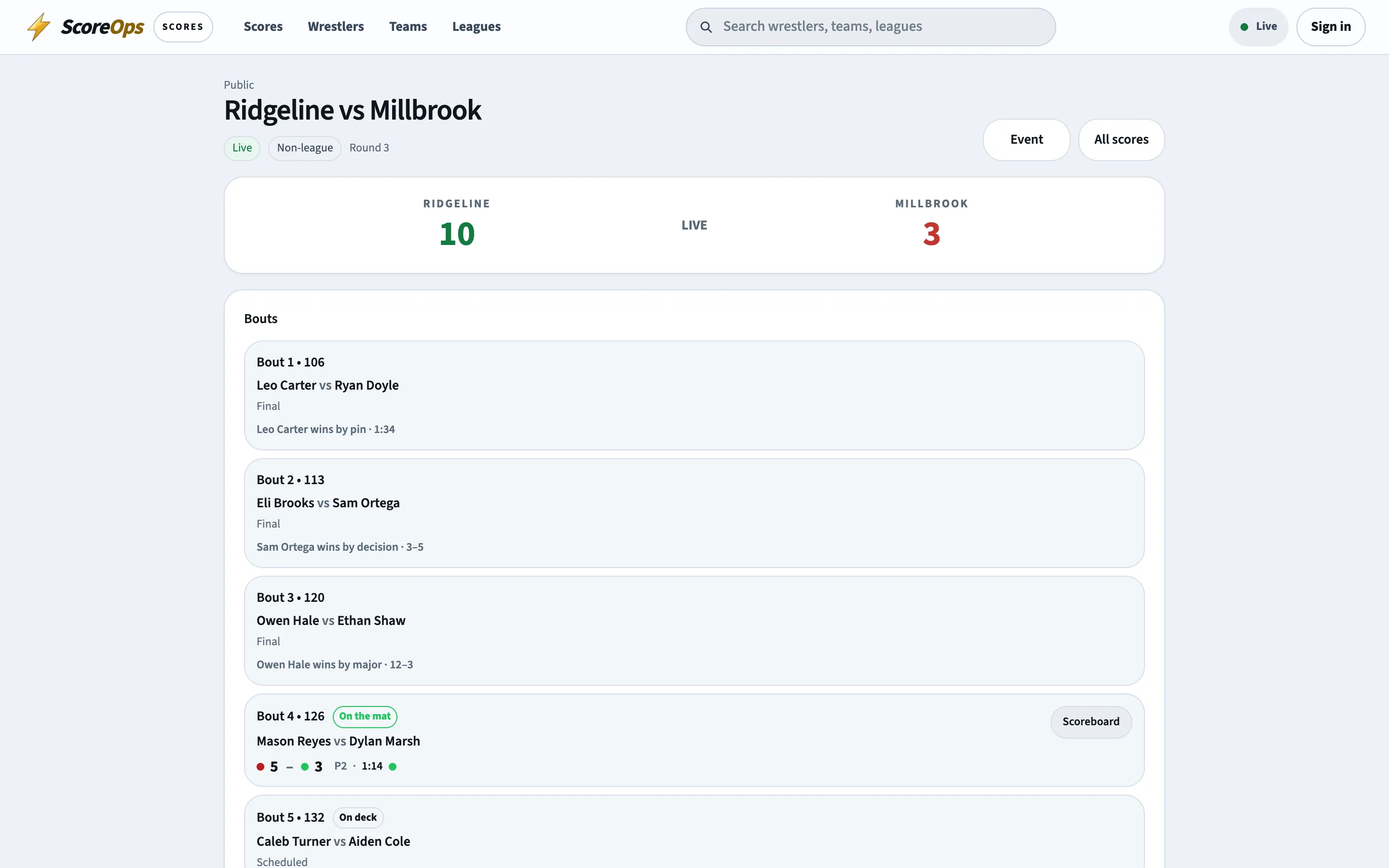
Check-in
The last look before the whistle.
Checking a wrestler in for a dual bout is where the season's rules are actually applied — against the weight at the scale, the class they qualified at and the hard weights they have.
- An advisory season warns the table and lets the coach decide. A blocking season refuses the check-in.
- Reasons are specific: not on the roster, no weigh-in, below the certified floor, too many classes up, or short of the hard weights.
- Deliberate exceptions are their own action — wrestle without a weigh-in, allow a wrestler already used, or record the weight as a forfeit.
- A check-in is not a hard weight. Only a weigh-in at the desk certifies anything.
Paper
Print the sheet. One page per team.
For the head table, for the visiting coach, and for the times the wifi in the gym is a rumour.
Duals
The weigh-in sheet for a dual, one page for each side.
Tri-quads & events
Every team at the event, a page each.
Tournaments
The whole field, team by team, from the one weigh-in that covers the day.
How it works
From the scale to the mat.
- 01
Open the desk
For the dual, the event or the tournament — the same desk, from the board you are already on. - 02
Weigh the team in
Type each weight as they step off. Tick the hard weights your league counts. - 03
Deal with what it flags
Over the class, a jump from last time, a missing weigh-in: each says which it is. - 04
Print it, if you print
One page per team for the head table. - 05
Build the lineup
Pair the two rosters weight by weight and create the bouts in order. - 06
Check them in
The season's rules run one last time, and the mat is yours.