Live scoring
A private board. A public display.
The control board belongs to whoever is at the table. The display belongs to the gym. Neither can be touched from the other, and the clock belongs to the server — so a refresh does not cost you the bout.
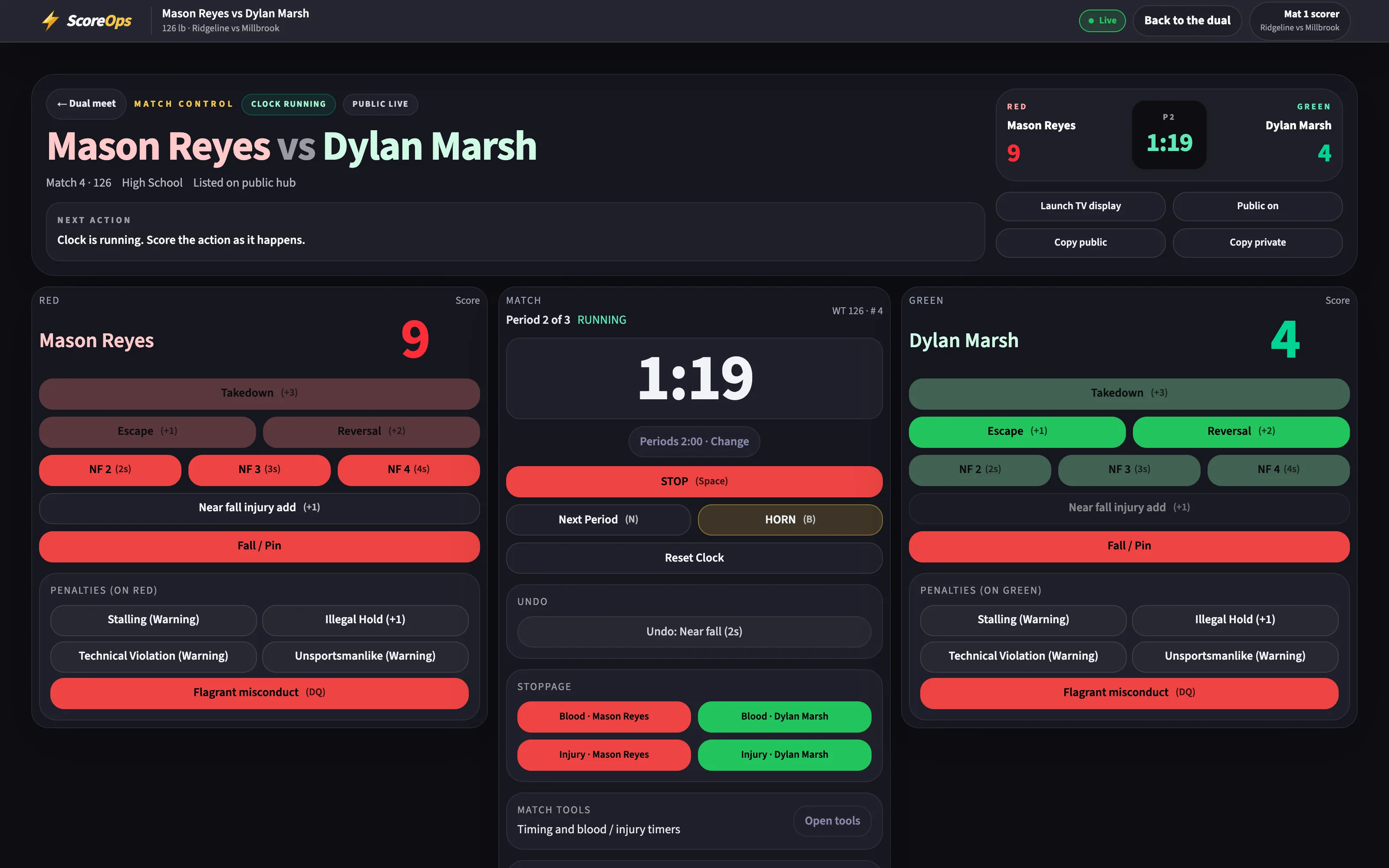
The table
Learn it in one bout.
Takedowns, escapes, reversals, near fall, penalties and the ways a bout ends, on buttons big enough for a folding table in a loud gym.
- A move that is not legal in the position you are in says why, instead of quietly doing nothing.
- Every action lands in a scoring log you can read back, with the time it happened.
- High school periods and overtime — sudden victory and both tiebreakers — are built in.
- Nobody without a signed-in role, or a link you handed out, can touch the board.
- Space
- Start / stop the clock
- B
- Buzzer
- N
- Next period, or into overtime
The clock
Refresh it. The time is still right.
- Reload the page, close the lid, swap to another tablet — the running clock comes back where it should be.
- The display in the gym and the board at the table show the same second without talking to each other.
- Blood, injury and recovery time run on their own clock beside the period clock.
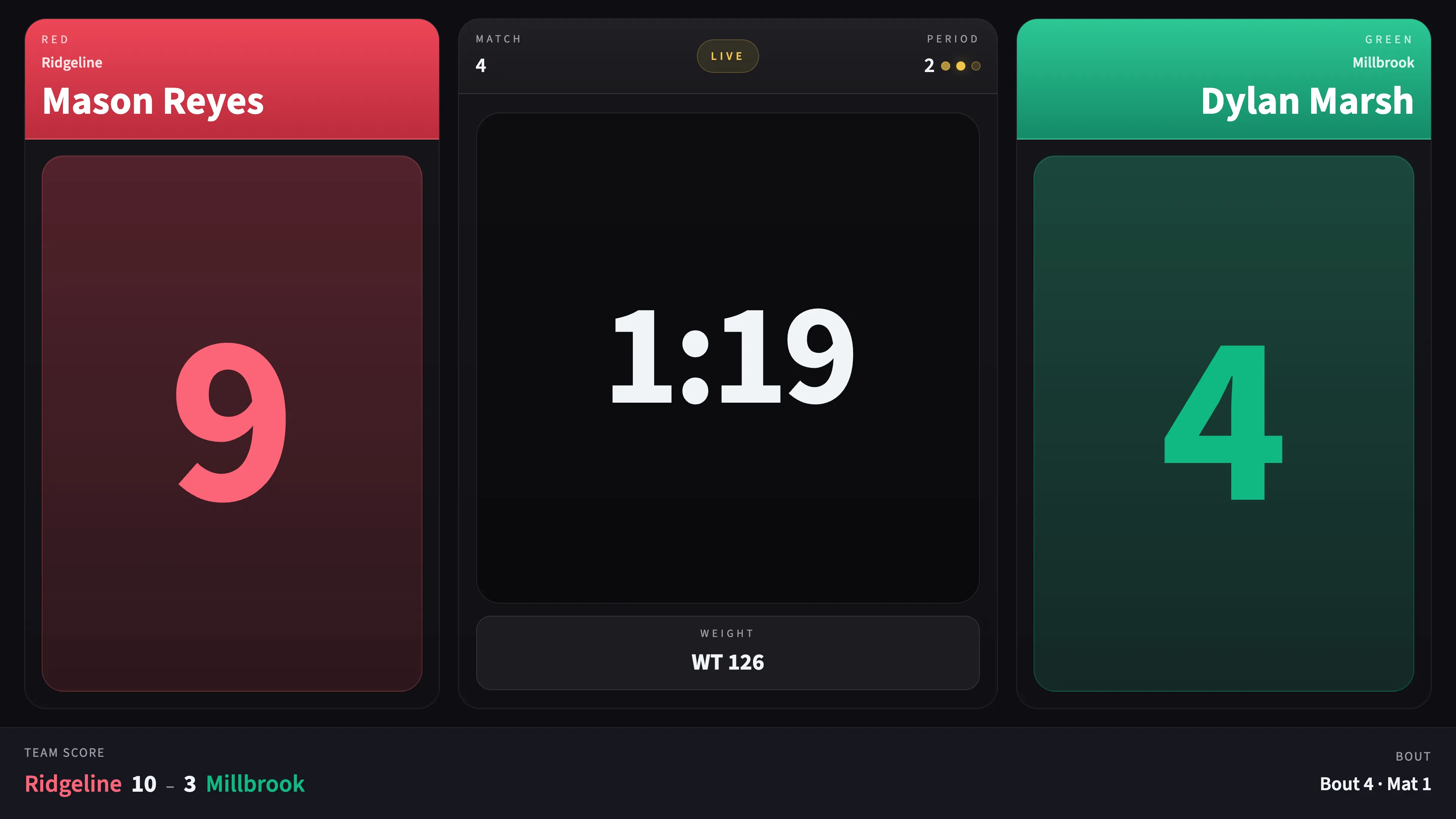
Mistakes
Tapped the wrong side? Void it.
- Every line in the scoring log has a Void button. The first tap arms it, the second does it, and it disarms itself if you walk away.
- The voided line stays visible, greyed and labelled, and the score is recomputed from what is left.
- After a bout is final, a correction replaces the result — and the change is recorded.
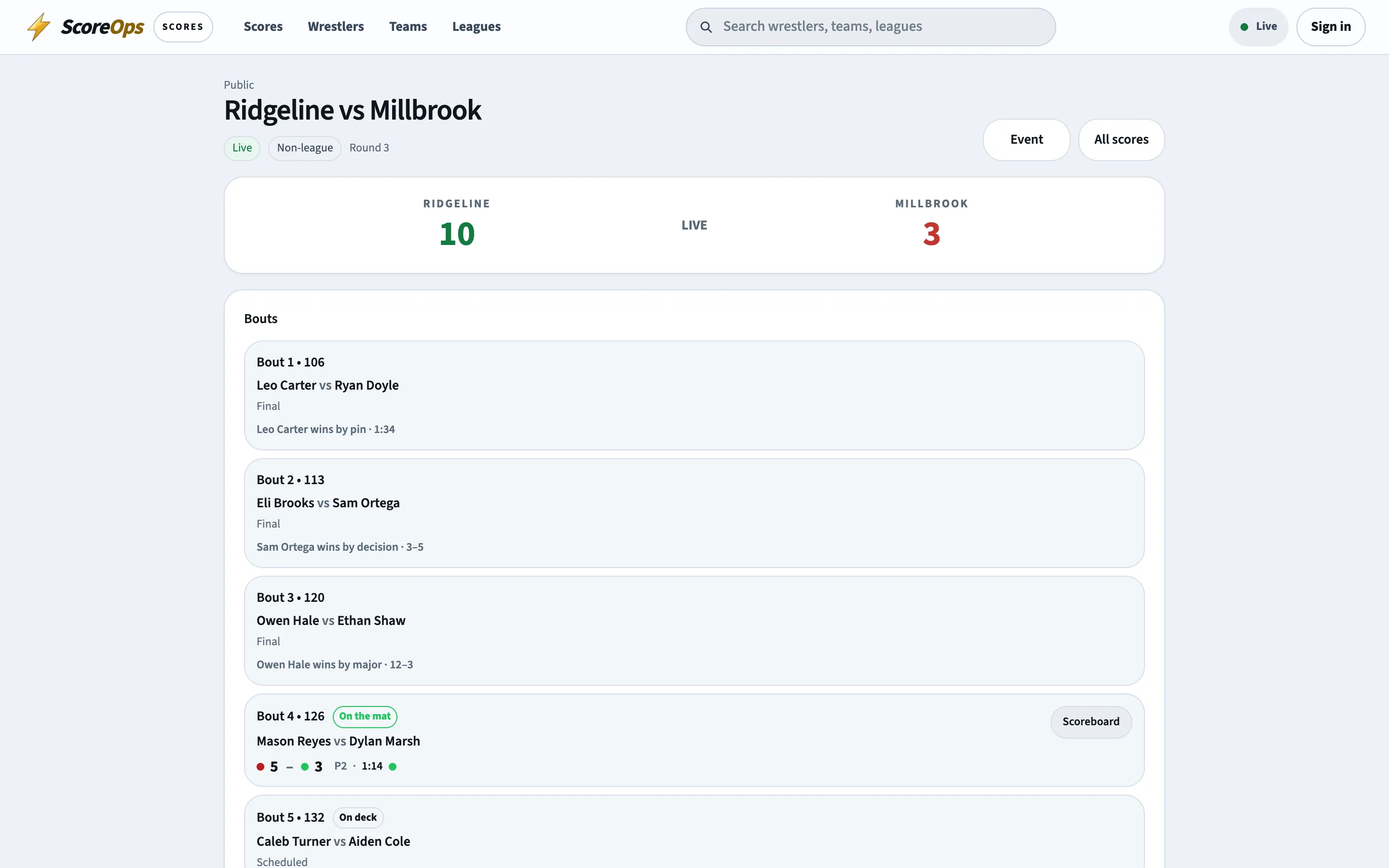
No clock
A result without ever starting the clock.
Forfeits, a bout someone else scored on paper, a mat that ran while you were looking away. Find it on the board and record it.
Winner and how
From any board
Counts the same
Volunteers
A link that expires on its own.
The parent running mat three for one Saturday does not need an account, a password or a permission conversation.
- Table links last 72 hours. The server refuses them after that, whoever still has the URL.
- Revoke one early and it stops working immediately.
- At a tournament, a link can be limited to one mat — that volunteer cannot record anything on another.
- What was done through a link is written to the audit log with the link it came from, and shows in Activity like any other change.
How it works
From the whistle to the app.
- 01
Open the bout
From the dual meet board or the tournament board, on the laptop or tablet at the table. - 02
Put the display up
Launch the read-only display in a second window and drag it to the gym screen. - 03
Score it
Run the clock and tap the moves. Void anything you got wrong; the log keeps the record. - 04
Finish it
Confirm the result and the bout closes: team score, wrestler records and the public page all move. - 05
Everyone else finds out
The dual page updates, and families following that wrestler get the final in the ScoreOps app.
Run a bout right now. No account.
The demo is the real control board with a real clock. Score a bout, refresh the page and watch the time survive it.